What is a Data Object
A data object refers to a category of data in an management system, typically presented in the form of a worksheet/table. It serves as the foundation of an management system, and most data display windows, interactive interfaces, statistical reports, and business processes in the system are centered around data objects.
Examples:
-
In an order management application, data objects to be managed may include customers, contacts, orders, order details, products, etc.
-
In an employee management application, data objects may include employees, departments, attendance records, salaries, etc.
In different software products, data objects may have varying names. Besides "Worksheet," terms like "Database," "Table," or "Entity" may be used, but they share the same underlying concept.
From Real-World Things to Data Objects
-
Data Object as a Collection of Things:
A data object summarizes a category of things. For example, "employees" refer to the entire set of staff. In the real world, an HR department might maintain an employee roster—a list of all company employees. In an employee management application, such a list (stored as a table) becomes the data object to be managed.
The Table interface is often equipped with a CRUD toolbar (Create-Read-Update-Delete), enabling users to add, browse (including search, filtering, sorting), update, and delete data.
Each independent individual within the collection corresponds to a row record in the table. For example, the profile of an employee in the roster is a row record. In addition to the list view, most information systems provide a details page for each row record.
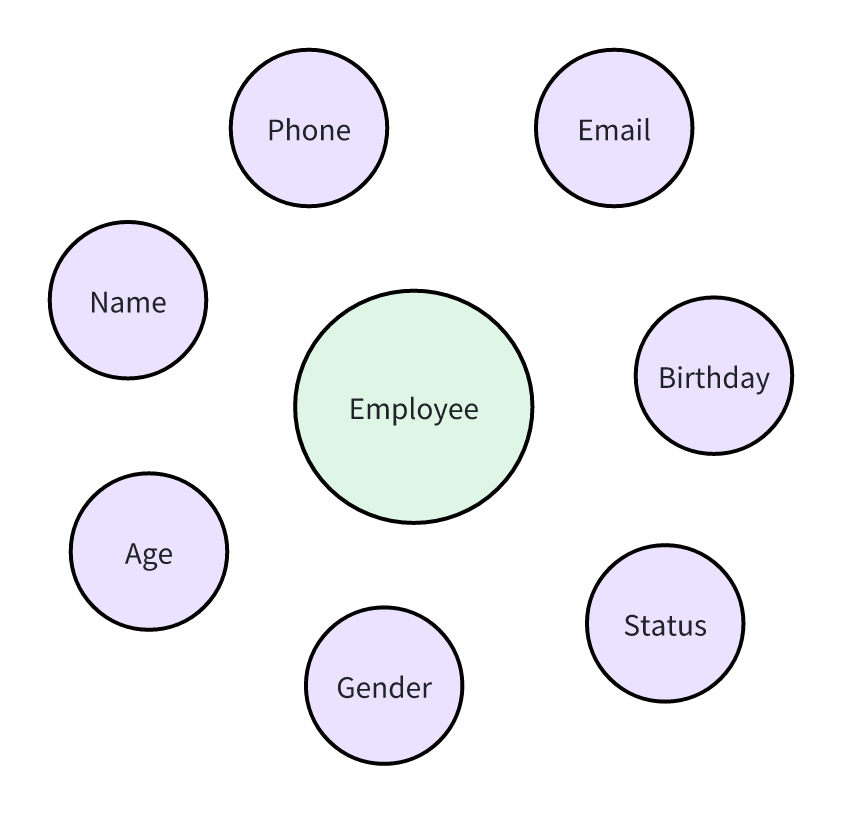
Each individual thing has specific attributes. For example, an employee’s department, gender, and age are attributes. In Applications, these attributes correspond to fields in the worksheet.
In summary, the mapping between real-world business data and applications is as follows:
|
Real-World Business
|
Applications
|
Example
|
|
Collection of Things
|
Data Object/Worksheet
|
Employee Roster
|
|
Individual Thing
|
Row Record/Details Page
|
Employee Mr.Zhang
|
|
Thing’s Attribute
|
Field
|
Zhang’s gender, age, etc.
|
Extracting Data Objects from Business Data
In the process of enterprise operation and management, a large amount of business data will be generated, which can be roughly divided into four categories:
-
Business entities
-
Business activities
-
Business approvals
-
Business lists
Starting from these four categories of business data can help us effectively extract the data objects required for application construction.
Business Entities
The first category is business entities, which refer to the people, things, and matters that enterprises want to manage continuously - such as employees, customers, orders, and products. The best way to identify entities is to look for nouns that can be summarized and counted. When you say "all employees" or "all orders", you have actually found the entities. For these business entities, corresponding data objects/worksheets can be directly constructed.
Business Activities
The second category is business activities, which are value-creating actions carried out around entities. Typical business activities include customer visits, commodity purchases, equipment maintenance, etc. Most business activities follow a pattern of [business entity + verb], through which we can quickly identify the business activities in enterprise operations.
For these business activities that need to be managed, we also need to construct corresponding data objects, such as creating a Customer Visit Record Worksheet and an *Equipment Maintenance Record Worksheet*.
Business Approvals
The third category is business approvals, which are management behaviors for risk control in enterprises. When a contract requires the signatures of multiple leaders or an expense reimbursement must be confirmed layer by layer, approvals come into play. In the system, approvals often include two parts of information: "approved data" and "approval flow process".
Because we need to manage the "approved data", we generally need to create data objects/worksheets for this type of data. For example, for the approval control of payment business, we should first create a payment application worksheet, and then design the approval flow process based on it.
Business Lists
The last category is business lists, which are generally data derived from business entities, business activities, or business approvals. For example, an employee has multiple work experiences, a maintenance includes multiple maintenance items, and a reimbursement has multiple expense details. The way to sort out business lists is to look for variable quantities. As long as the data presents a variable quantity from 0 to N, it is likely to be a business list.
For business lists, it is generally necessary to create separate data objects for management in the IT system, and use sub-tables or multiple association worksheets as the auxiliary details of other data objects.
Scenario Practice
Finally, let's review how to extract data objects from real-world business through a small scenario:
MEGA Trading is a company specializing in office supplies sales. Last week, an employee named Zhang traveled on a business trip to visit a client, General Wang, and signed an order on the spot for various office supplies. Upon returning from the trip, Zhang submitted a reimbursement application for this business trip, which included several expense items such as transportation, accommodation, and meals.
In this scenario:
-
Business entities include employees, clients, orders, and products.
-
Business activity is the visit record.
-
Business approval is the reimbursement application.
-
Business lists are the multiple details in the order and the multiple expense items in the reimbursement application.
Ultimately, the extracted data objects are as follows:
|
Business Data Type
|
Data Object
|
|
Business Entities
|
Employees
|
|
|
Clients
|
|
|
Orders
|
|
|
Products
|
|
Business Activities
|
Visit Records
|
|
Business Approvals
|
Reimbursement Applications
|
|
Business Lists
|
Order Details
|
|
|
Expense Details
|
Creating a Data Model
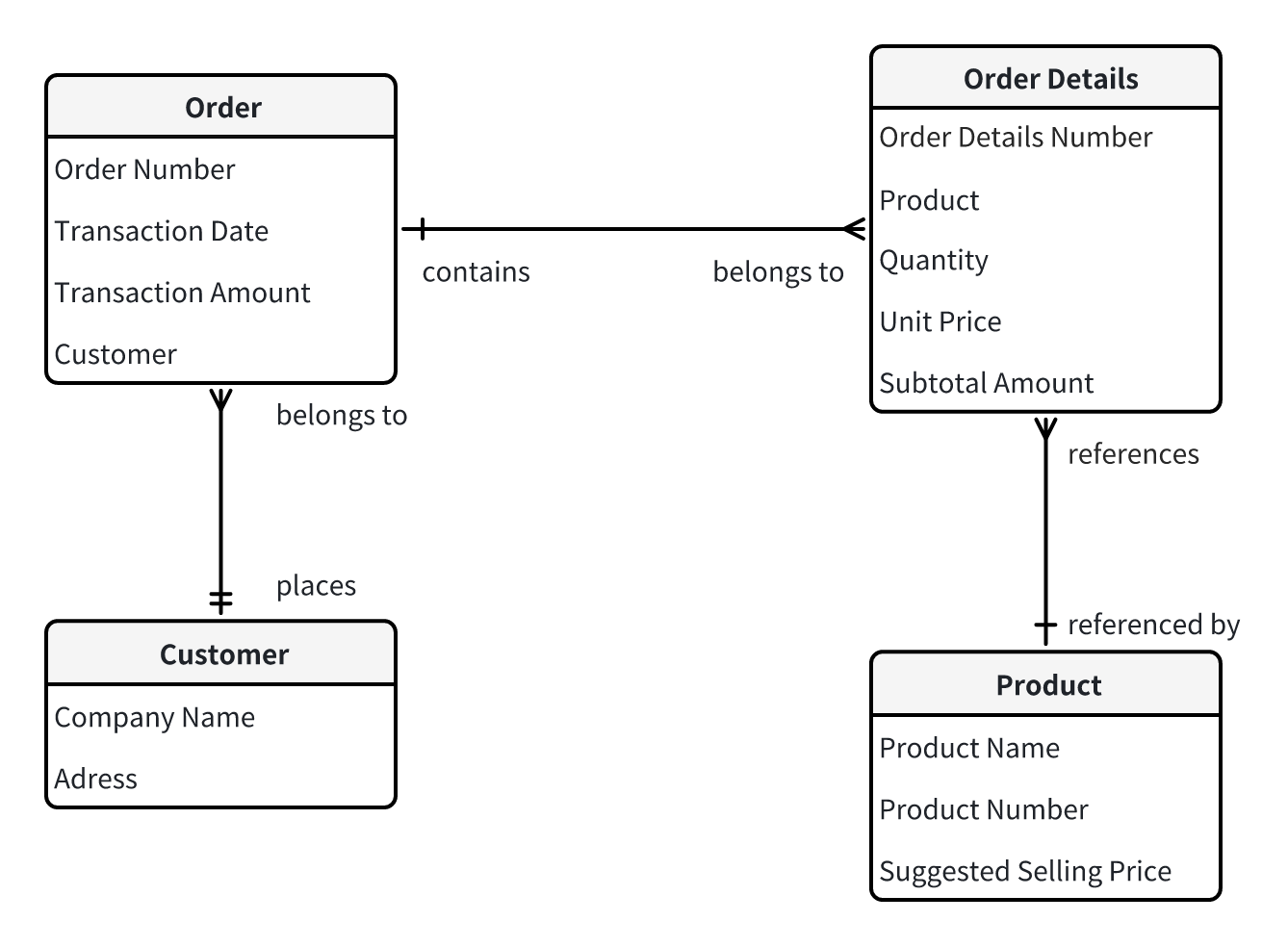
In an Application, data objects are not completely isolated from each other; instead, there are correlations among them. All data objects, their corresponding attributes/fields, along with the correlations between various data objects, constitute the data model of an application. The correlations between data objects include:
-
One - to - one
-
One - to - many
-
Many - to - many
Let's take sales order management Application as an example to illustrate the different correlations between data objects.
-
One - to - one
The relationship between an order and a customer is one - to - one, meaning that one order belongs to only one customer.
The relationship between an order detail and a product is also one - to - one, with one order detail referring to only one product.
-
One - to - many
The relationship between an order and order details is one - to - many, as one order contains multiple details.
-
Many - to - many
The relationship between an order and a product is many - to - many. That is, one order can contain multiple products, and the same product may exist in multiple orders (multiple purchases). In this case, the order and the product are not directly related. Instead, through the order detail as an intermediate worksheet, the many - to - many relationship between the order and the product is achieved indirectly.
We can use an ER diagram (Entity Relationship Diagram) to describe the data model. However, as a graphical means of expression, the ER diagram is so metimes limited by page space and cannot display all fields. Therefore, we suggest using other document tools, such as Excel, to record the detailed field values of each data object.